
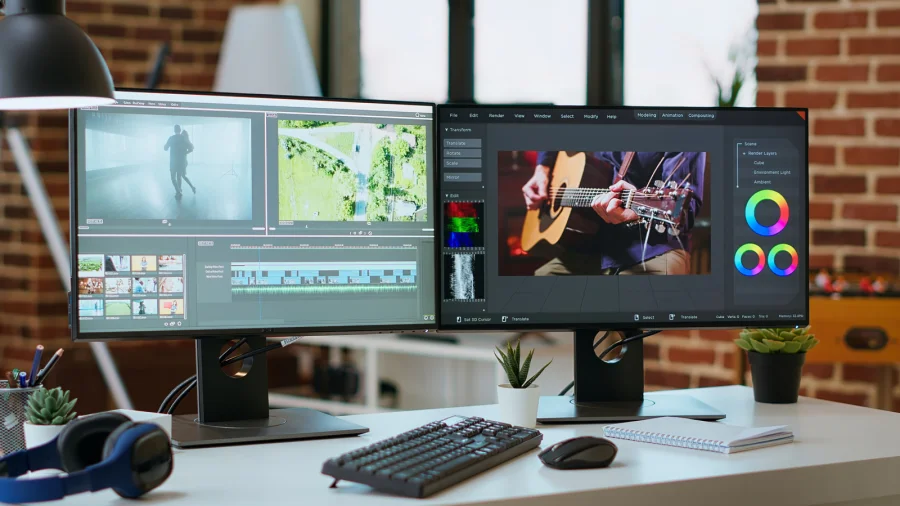
If you've ever dragged a window across your screen for the tenth time in an hour, you already know the problem. One monitor forces you to choose between what you're working on and what you need to look at. A second screen removes that choice — and that's the whole point.
What a Second Monitor Actually Gives You
The core benefit is simple: more screen space. That means you can keep your main task open on one display and reference material, chat, email, or a browser on the other. No more minimizing, no more alt-tabbing, no more losing your place.
For most people, that translates directly into fewer interruptions and a smoother workflow — even if the work itself isn't intensive.
Why This Matters More Than It Sounds
Every time you switch windows, you pay a small mental cost. Do it dozens of times a day and it adds up. A second monitor reduces that friction, which is why the upgrade feels disproportionately large compared to its price.
It's not about doing more — it's about doing the same work with less friction.
Who Benefits the Most
Students writing essays with sources open on one side. Developers watching logs while coding. Editors comparing footage. Accountants cross-checking spreadsheets. Remote workers juggling video calls and notes.
Even casual users benefit: a second screen makes streaming, browsing, and messaging feel less cramped.
Reduced Eye Strain and Better Posture
Constantly squinting at a single crowded screen strains your eyes. Spreading content across two displays lets you use comfortable font sizes and viewing distances, which can ease fatigue over long sessions.
It also encourages a more natural seating position, since you're not leaning in to read tiny text.
What to Keep in Mind Before You Buy
You'll need desk space, a compatible port or adapter, and ideally a monitor arm or stand. Cable clutter is real. And if your laptop is older, check that it can drive a second display smoothly.
None of these are dealbreakers — but they're worth planning for.
Confirmed Facts vs What Remains Unclear
Confirmed: A second monitor increases usable screen area and reduces window switching. Unclear: Exact productivity gains vary widely by person and task — there's no single universal number.
Risks and Balanced View
More screens don't automatically mean more focus. Some people find dual displays distracting, and a poorly positioned second monitor can cause neck strain. For simple tasks, one good screen may be enough.
Practical Reader Guidance
Start with one extra display — even a modest one. Position it at eye level, keep your primary work on the main screen, and use the second for reference. Adjust as you go.
Future Outlook
As remote and hybrid work continues, dual-monitor setups are likely to become the default rather than the exception. Portable second screens are also making the upgrade easier for people on the move.
Our Take
A second monitor isn't a gimmick. It's one of the few upgrades that quietly improves almost every kind of screen-based work — and it doesn't require a powerful machine to feel the difference.
Frequently Asked Questions
Is a second monitor worth it for casual use?
Yes. Even for browsing, streaming, and messaging, the extra space makes everyday tasks feel less cramped.
Do I need a powerful computer for dual monitors?
Not necessarily. Most modern laptops can drive a second display, though older machines may need a check.
What's the biggest benefit of a second monitor?
Reduced window switching — you keep your main task and reference material visible at the same time.
Can a second monitor reduce eye strain?
It can help, since you can use comfortable font sizes and viewing distances instead of squinting at one crowded screen.