

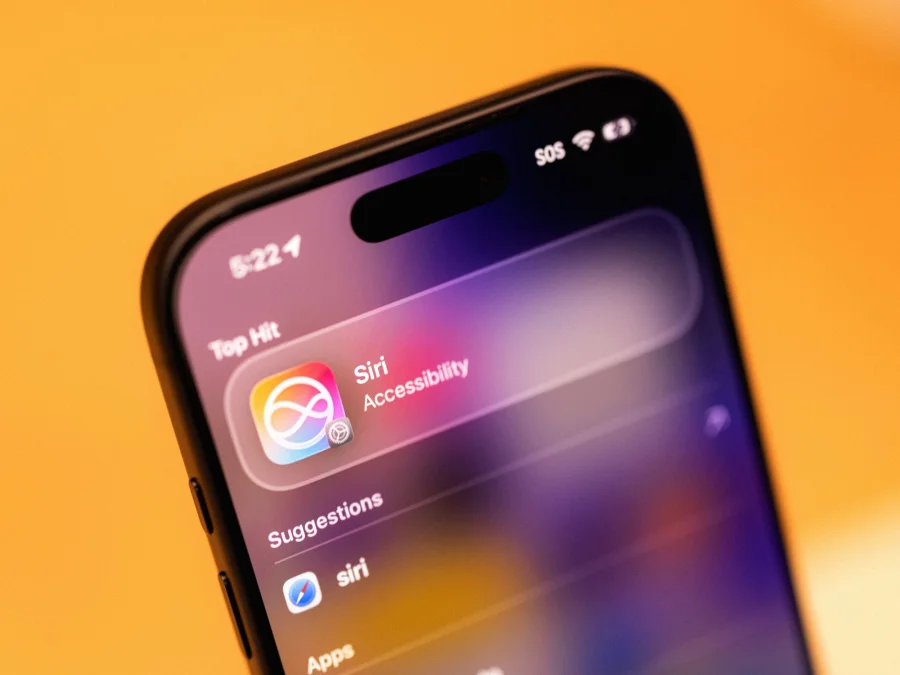
For years, Siri was the assistant you asked for weather updates or timers. With the iOS 27 public beta now available, that era is over. Apple has quietly turned Siri into the backbone of the iPhone — a shift that could redefine how millions interact with their devices every day.
What the iOS 27 Beta Reveals About Siri’s New Role
Early testers describe a Siri that no longer waits for commands but anticipates needs. The assistant can now chain multiple actions — like opening an email, extracting a date, and adding it to the calendar — in a single request. More importantly, it controls system-level settings previously locked behind menus: Wi-Fi toggles, focus modes, even hardware features like camera aperture adjustments.
Why This Shift Matters for Every iPhone User
This isn’t just a feature update. It signals Apple’s bet that voice will become the primary interface for smartphones. For users, it means less tapping and swiping — especially useful while driving, cooking, or multitasking. For Apple, it creates a moat: once Siri handles everything, switching to Android means losing a deeply integrated ecosystem.
From Voice Assistant to Operating System Layer
The transformation has been gradual. Apple acquired multiple AI startups over the past three years, including Voysis and Xnor.ai, to improve on-device processing. The iOS 27 beta is the first public glimpse of that work. Siri now runs more models locally, reducing latency and improving privacy — responses feel instant, not cloud-dependent.
Who Benefits Most from the Revamped Siri
Power users who juggle multiple apps will see the biggest gains. A single voice command can now trigger a workflow: “Send my ETA to Mom, turn on Do Not Disturb, and start my driving playlist.” For accessibility users, the upgrade is transformative — Siri can now navigate the entire interface without touching the screen. Casual users may notice subtler improvements: smarter suggestions, faster responses, and fewer “I can’t do that yet” moments.
Apple’s Quiet Messaging Around the Change
Apple has not held a keynote for this update. The beta release notes simply state: “Siri is now the foundation of iPhone interaction.” This low-key approach is typical for Cupertino when testing radical shifts — they let user feedback shape the final version. Developers on the beta forum report that Apple has provided new APIs specifically for “Siri-first app design.”
What the Architecture Tells Us About Apple’s Strategy
By making Siri the backbone, Apple is solving a long-standing problem: app discoverability. Instead of hunting through home screens, users can simply ask for what they need. This could reduce app abandonment rates and increase usage of built-in features. It also positions Apple to compete with Google Assistant and Amazon Alexa, which have long offered deeper system integration on their respective platforms.
Confirmed Facts vs What Remains Unclear
Confirmed: iOS 27 beta includes Siri with system-level control, multi-step task chaining, and local processing improvements. Unclear: Whether third-party apps will gain equal access to Siri’s new capabilities, and how battery life is affected by always-on voice processing. Apple has not disclosed if older iPhones will support all features.
Apple’s Moat: Why This Matters for the Ecosystem
Apple’s competitive advantage has always been integration — hardware, software, and services working seamlessly. Siri as the backbone deepens that moat. Once users rely on Siri for daily workflows, leaving the iPhone means losing a personalized assistant that knows their routines, contacts, and preferences. This lock-in effect is powerful, especially as competitors struggle to match Apple’s privacy-first approach to on-device AI.
Risks and Balanced View
Not everyone is celebrating. Privacy advocates worry about always-listening microphones, even with on-device processing. Power users who prefer tactile control may find voice commands slower for complex tasks. There are also concerns about reliability: if Siri misunderstands a critical command — like deleting a file or sending a message — the consequences could be frustrating. Early beta testers report occasional misinterpretations, though Apple is expected to refine accuracy before the stable release.
The Broader Shift Toward Voice-First Interfaces
Apple is not alone in this direction. Google has been pushing Assistant deeper into Android, and Amazon’s Alexa is embedded in Echo devices. But Apple’s move is notable because it happens on a device with over a billion active users. If successful, it could accelerate the industry’s move away from touchscreens as primary interfaces — a trend that has implications for app design, advertising, and digital accessibility.
What iPhone Users Should Do Now
If you’re curious, you can install the iOS 27 public beta — but back up your device first, as beta software can be unstable. Start by testing simple multi-step commands: “Set a timer for 10 minutes and play my workout playlist.” Gradually explore system-level controls like “Turn on Low Power Mode and reduce brightness.” Report any bugs to Apple through the Feedback Assistant app. For those who prefer stability, wait for the September release.
What Comes Next for Siri and iOS
The stable release of iOS 27 is expected alongside the iPhone 17 lineup in September. Analysts predict Apple will showcase Siri’s new capabilities during the keynote, likely with live demos of complex workflows. Beyond that, the company is reportedly working on Siri-powered automation for HomeKit and CarPlay, extending the assistant’s reach beyond the phone. The question is no longer whether Siri can compete — it’s whether users will embrace a voice-first iPhone.
Our Take
Apple’s decision to make Siri the backbone of the iPhone is a calculated risk. It addresses long-standing complaints about the assistant’s limitations while creating a deeper ecosystem lock-in. But success depends on reliability: one high-profile failure — like Siri accidentally deleting contacts or sending wrong messages — could erode trust quickly. For now, the iOS 27 beta shows ambition. The stable release will show execution.
Frequently Asked Questions
How do I get the iOS 27 beta with the new Siri?
Enroll in Apple’s public beta program at beta.apple.com, then download the beta profile on your iPhone. Back up your data first, as beta software may have bugs.
Will the new Siri work on older iPhones?
Apple has not confirmed device compatibility. Based on past betas, iPhones from iPhone 13 onward are likely supported, but some features may require newer hardware for on-device AI processing.
Can third-party apps use Siri’s new system-level controls?
Apple has released new APIs for developers, but full third-party access is not yet confirmed. Early beta suggests only Apple’s own apps and settings have deep integration.
Is the new Siri always listening?
Siri still requires the “Hey Siri” trigger or side button press. Apple processes requests on-device where possible, but some tasks may still use cloud servers. Privacy settings can be adjusted in Settings > Siri & Search.