
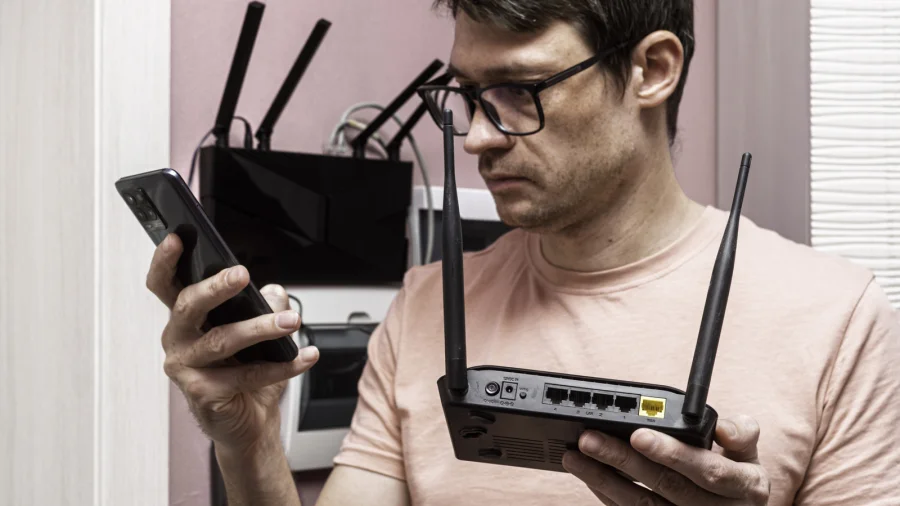
That dusty router in your cupboard still has life left in it. Instead of tossing it into the recycling bin — or worse, the trash — you can turn it into a free Wi-Fi booster, a network switch, or even a separate guest network. Here's how.
Why Your Old Router Still Matters
Most routers are replaced every few years, but their hardware rarely fails. The Wi-Fi standard may be older, but the device can still handle basic networking tasks. Repurposing it saves money and keeps useful electronics out of landfills.
Turn It Into a Wi-Fi Extender
If you have dead zones at home, your old router can act as a wireless repeater. Connect it to your main router via Ethernet or Wi-Fi, then configure it in bridge or repeater mode. This extends coverage to far rooms or the backyard.
Use It as a Network Switch
Need more Ethernet ports for gaming consoles, TVs, or desktop PCs? Disable the router's Wi-Fi and DHCP, then use it as a simple switch. It adds wired connectivity without buying new hardware.
Create a Separate Guest Network
Set up your old router as a standalone access point for guests. This keeps your main network private and secure, while giving visitors internet access. Just connect it to your main router via LAN-to-LAN and adjust settings.
What You'll Need
You'll need an Ethernet cable, a power adapter, and access to your router's admin panel. Most routers have a reset button and a web interface at a default IP address like 192.168.1.1. Check the manual or manufacturer's site for specifics.
Risks and Limitations
Older routers may lack modern security features like WPA3 or the latest firmware updates. Using them as extenders can sometimes slow down your network if not configured properly. Always update firmware if possible and avoid exposing them directly to the internet.
Wider Trend: Reducing E-Waste
Electronic waste is one of the fastest-growing waste streams globally. Repurposing routers is a small but practical step toward sustainability. It also delays the need to buy new equipment, saving money and resources.
Practical Steps to Get Started
First, identify your old router's model and check if it supports repeater or bridge mode. Then, reset it to factory settings. Connect it to your main router and follow the setup wizard. Test the network in different rooms to find the best placement.
Future Outlook
As mesh Wi-Fi systems become more common, old routers may become less useful for extending coverage. But for now, they remain a viable option for budget-conscious users and those looking to reduce e-waste.
Our Take
Repurposing an old router is a smart, eco-friendly move that costs nothing but a little time. It's not a perfect solution for every home, but it's a practical way to squeeze more value out of hardware you already own.
Frequently Asked Questions
Can any old router be used as an extender?
Most routers with repeater or bridge mode can be used. Check your model's manual or admin panel for these options.
Will using an old router slow down my internet?
It can, especially if the router uses an older Wi-Fi standard. For basic browsing, it's usually fine. For heavy gaming or streaming, a newer extender may be better.
Is it safe to use an old router?
Yes, as long as you update its firmware and use strong passwords. Avoid exposing it directly to the internet without proper security.
How do I reset my old router?
Press and hold the reset button for 10–15 seconds until lights flash. Then access its admin panel via a browser.