
Your Windows PC can already play thousands of games — but navigating them with a mouse and keyboard from your couch has never felt natural. Xbox mode is Microsoft's answer to that problem: a controller-first interface that makes a Windows machine behave more like a console.
If you have ever wished your desktop felt as simple as an Xbox dashboard, this is the feature built for exactly that.
What Xbox Mode Actually Is — and Why It Exists
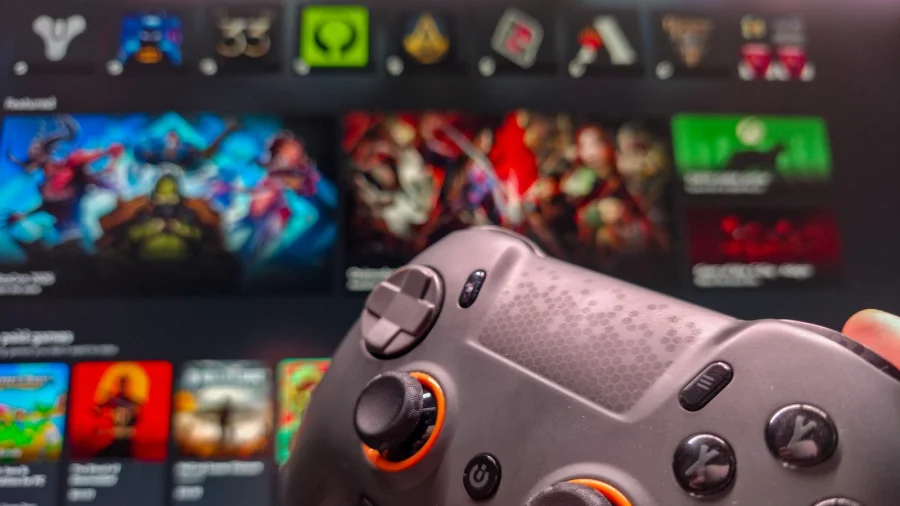
Xbox mode is best understood as a Big Picture Mode equivalent for Windows. Instead of dropping you onto the desktop with icons, taskbars and browser tabs, it presents a gaming-friendly layout designed to be driven entirely by a controller.
The goal is straightforward: fewer clicks, bigger tiles, and faster access to your installed games. It is aimed at people playing on a TV, a handheld, or any setup where a keyboard is inconvenient.
Why a Controller-First Windows Interface Matters
Windows was built for productivity, not for living-room gaming. That mismatch has frustrated players for years — especially those who bought handheld PCs expecting a console-like experience.
A dedicated mode reduces friction. You pick up a controller, the interface responds to it, and you get into a game without alt-tabbing through windows. For casual players and families, that simplicity is the entire point.
How to Get Started
The general approach is to make sure your Windows PC and the Xbox app are up to date, connect your controller, and then look for the full-screen or gaming-mode option within the Xbox app or Windows settings.
Because Microsoft has been rolling out this kind of experience gradually, the exact menu names and availability can differ between devices and Windows builds. If you do not see the option, it may simply not have reached your device yet.
Who Benefits Most From This Setup
Handheld PC owners are the clearest winners. These devices are built for portable play, and a controller-driven interface removes the awkwardness of tapping a small touchscreen or trackpad.
Console players considering a gaming PC also benefit. Xbox mode narrows the gap between the two experiences, making the transition feel far less intimidating.
What Microsoft Has Signalled
Microsoft has consistently pushed toward a more unified Xbox experience across devices, and a console-style interface on Windows fits that direction. Specific rollout timelines and device support should always be confirmed through official Microsoft announcements rather than secondhand reports.
Confirmed Facts vs What Remains Unclear
Confirmed: Xbox mode is a controller-friendly, Big Picture-style interface concept for Windows PCs.
Unclear: Exact availability across Windows versions, regions, and hardware configurations. Any claim about universal support should be treated cautiously until Microsoft confirms it.
Limitations Worth Knowing Before You Switch
Not every game plays nicely with a controller, and some launchers still require mouse input. A console-style interface also hides the desktop, which can be inconvenient if you multitask while gaming.
It is a convenience layer, not a replacement for Windows itself. Treat it as a mode you switch into, not a permanent environment.
The Bigger Shift Toward Console-Style PCs
Handheld gaming PCs and living-room setups have grown quickly, and software is finally catching up. Steam, Xbox and others are all competing to make PC gaming feel as frictionless as a console.
Xbox mode is part of that broader race — and it signals that Microsoft sees Windows as a serious gaming platform, not just a work machine.
What You Should Do Now
Update Windows and the Xbox app, connect your controller, and check your settings for a full-screen gaming option. If it is not there yet, keep an eye on official Xbox channels for rollout news.
What Could Come Next
Expect tighter integration between Windows, the Xbox app and handheld devices over time. A more polished, default-on gaming interface is a logical next step — though Microsoft has not confirmed specific plans.
Our Take
Xbox mode is a small feature with a large purpose: making a PC feel like a console when you want it to. It will not replace the desktop, and it will not fix every launcher's quirks. But for anyone gaming on a TV or handheld, it removes a genuine daily annoyance — and that is exactly the kind of change Windows gaming has needed.
Frequently Asked Questions
What is Xbox mode on a Windows PC?
It is a controller-friendly, full-screen gaming interface for Windows, similar to Steam's Big Picture Mode, designed to make launching games feel like using a console.
Do I need an Xbox console to use it?
No. It is a Windows feature, so a PC and a compatible controller are the core requirements.
Why can't I see Xbox mode on my PC?
Availability is rolling out gradually and can vary by Windows version and device. Check for updates and confirm support through official Microsoft channels.
Is Xbox mode good for handheld gaming PCs?
Yes — handhelds benefit most, since a controller-driven interface removes the need for touch or trackpad navigation.